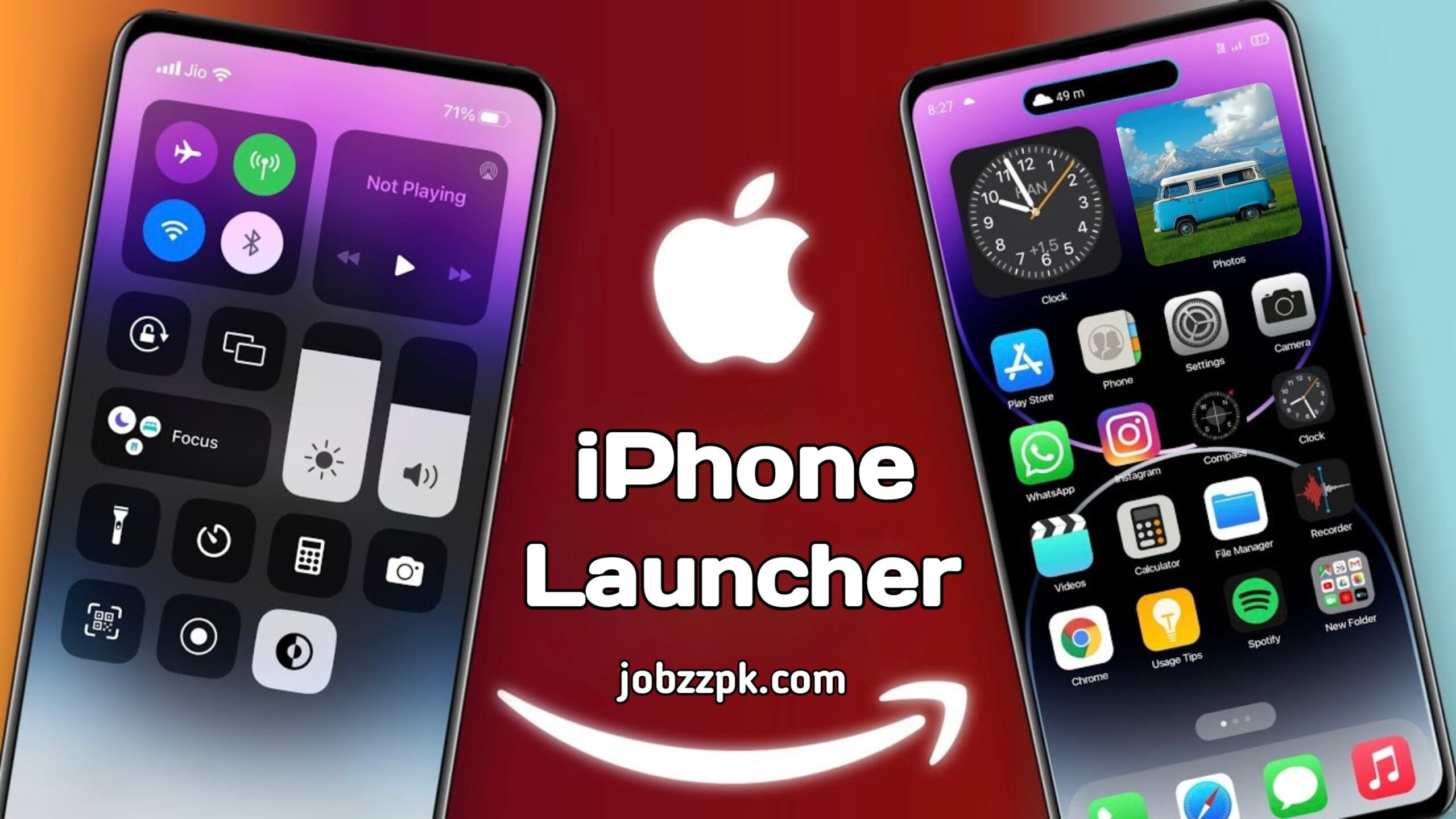
Many Android users love the smooth design and premium feel of the iPhone interface. However, buying a new iPhone just for the look isn’t always practical. The good news is that you can now enjoy the iOS-style experience on your Android device using an iPhone launcher.
An iPhone launcher allows you to transform your Android phone’s appearance into a clean, modern iOS-style layout without changing your operating system. In this complete guide, you’ll learn how it works, its features, benefits, and how to install it safely.
What Is an iPhone Launcher for Android?
An iPhone launcher is a customization app that changes your Android phone’s home screen, icons, lock screen, and control center to look similar to iOS.
Android is known for its flexibility and customization options. Unlike iOS, Android allows users to install third-party launchers that can completely modify the user interface. This means you can enjoy an iPhone-style layout while still keeping Android’s powerful features in the background.
Why Do People Install iPhone Launchers?
There are several reasons why iPhone launchers are becoming increasingly popular.
First, many users admire the simplicity and clean design of iOS. The organized grid layout and smooth animations create a premium feel. Second, installing a launcher is much more affordable than purchasing a new device. Lastly, Android users enjoy experimenting with new designs and themes.
Some key advantages include:
- Clean and minimal home screen layout
- Smooth app transition animations
- iOS-style control center
- Stylish lock screen design
- Custom widgets similar to iOS
This combination makes Android feel fresh and modern.
Main Features of an iPhone Launcher
Modern iPhone launchers come with several impressive features inspired by the latest iOS updates.
iOS-Style Home Screen
The apps are arranged in a simple grid pattern, just like an iPhone. Many launchers also allow you to remove the app drawer for a more realistic experience.
Control Center Access
You can swipe to access quick settings such as:
- WiFi
- Bluetooth
- Flashlight
- Airplane mode
- Brightness and volume controls
This makes navigation fast and convenient.
Lock Screen Customization
Some launchers offer an iOS-style lock screen with passcode options and notification previews. This enhances the overall look of your phone.
iOS Widgets
Widgets play a big role in the iOS experience. You can add:
- Weather updates
- Clock styles
- Calendar view
- Battery status
These small details make the interface look authentic and polished.
Best iPhone Launcher Apps to Try
Several apps on the Play Store provide a reliable iOS-style experience. Popular examples include Launcher iOS 17 and Phone 15 Launcher. These apps regularly update their design to match the newest iOS layout trends.
Before installing any launcher, make sure to:
- Check ratings and reviews
- Review app permissions
- Download only from trusted developers
This ensures both safety and performance.
Is It Safe to Use an iPhone Launcher?
Yes, iPhone launchers are generally safe if downloaded from the official Play Store. However, you should avoid installing APK files from unknown websites.
Remember that iOS itself is developed exclusively by Apple Inc., and it cannot be installed on Android devices. Launchers only replicate the visual appearance — they do not change the operating system.
As long as you monitor app permissions and install trusted apps, you should not face any security issues.
Does It Affect Performance?
An iPhone launcher mainly changes the interface design. It does not convert Android into real iOS.
On high-performance devices, the launcher usually runs smoothly. However, older phones with low RAM may experience slight slowdowns if the launcher includes heavy animations.
If your device has limited storage or RAM, choose a lightweight launcher version for better results.
How to Install an iPhone Launcher on Android
Installing an iPhone launcher is simple:
- Open the Google Play Store
- Search for “iPhone Launcher for Android”
- Select a trusted app
- Tap Install
- Open the app and set it as your default launcher
Within minutes, your phone will display a fresh iOS-style interface.
Who Should Use an iPhone Launcher?
An iPhone launcher is ideal for users who:
- Love iPhone design but use Android
- Enjoy customizing their smartphones
- Want a fresh and modern interface
- Like experimenting with new themes
Final Thoughts
An iPhone launcher for Android is the easiest way to enjoy the latest iOS-style interface without changing your device. It offers beautiful design, smooth animations, and customizable features — all within a few taps.
While it doesn’t turn your phone into a real iPhone, it gives you the aesthetic and experience many users love. Best of all, it’s free, easy to install, and fully reversible.
If you’re bored with your current Android interface and want something stylish and modern, installing an iPhone launcher might be the perfect solution.